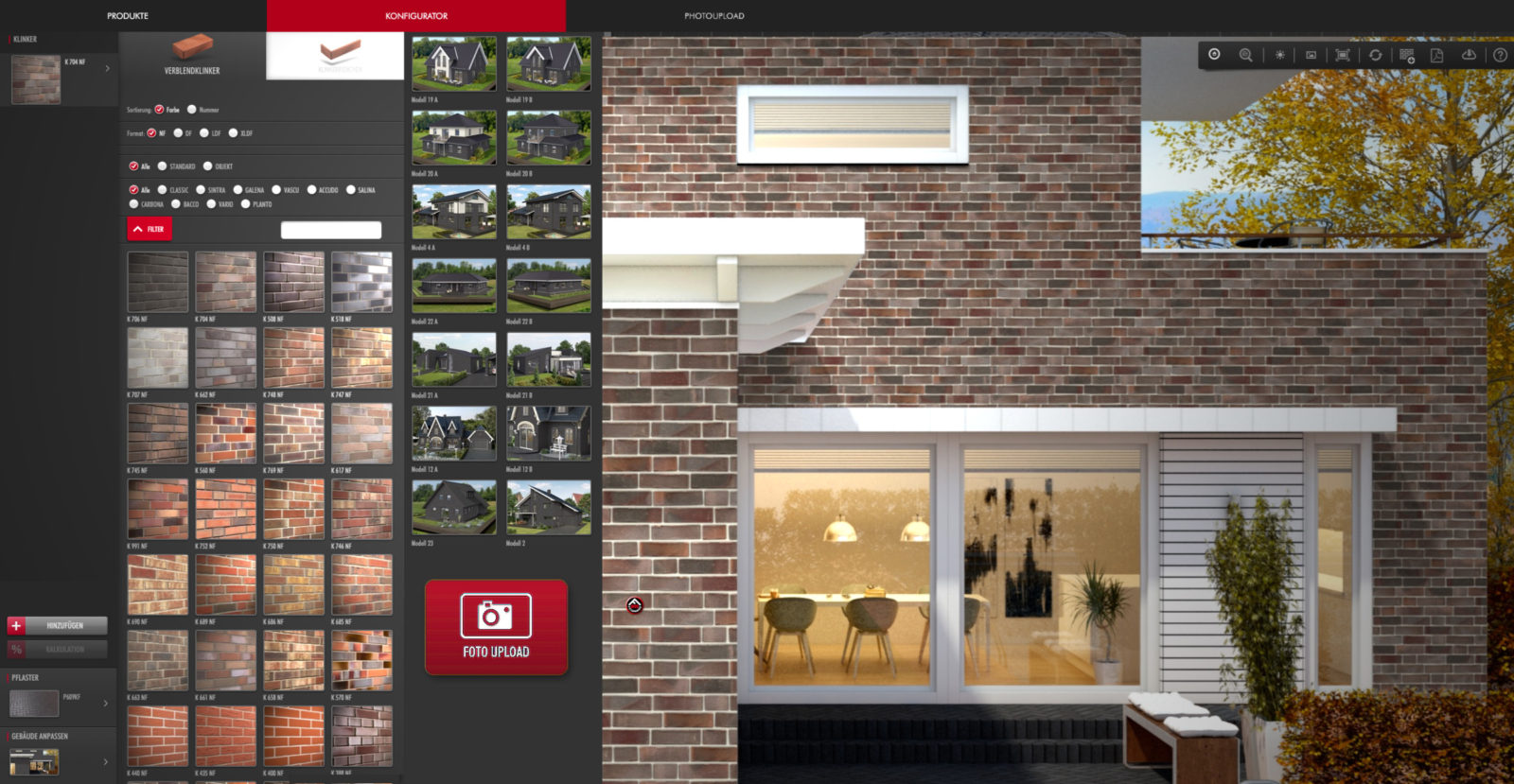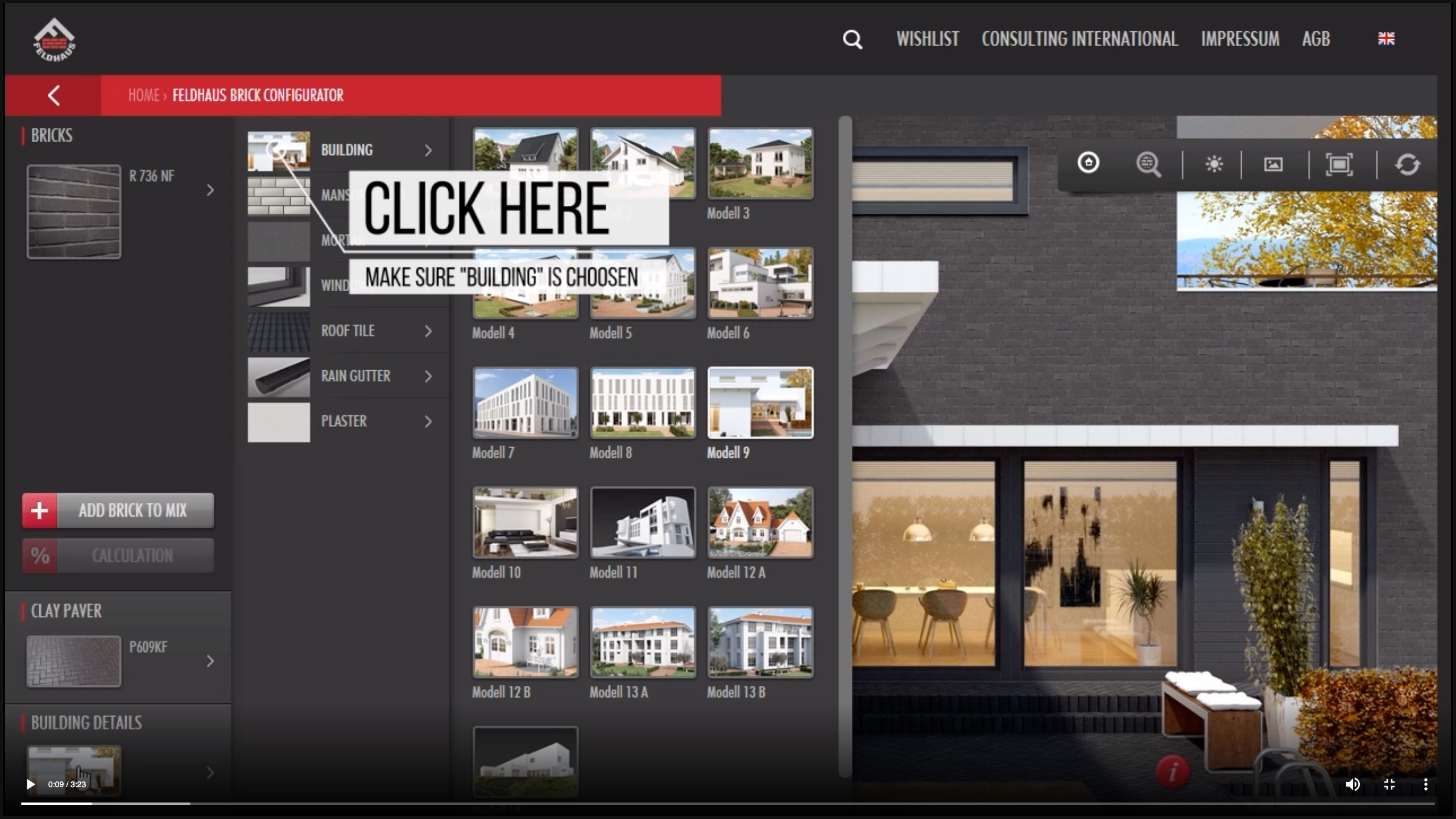
To ensure that you, as an architect, dealer or building owner, have the best possible conditions for the success of your projects, Feldhaus Klinker allows you to design your facades online even before they are built.
The free configurator on our website offers thousands of design options for building facades and paving of property areas with clinker bricks. We've now added another feature: the photo upload tool. With this, you can upload your own images – photos of your custom house or renderings of your building projects.
With this free online application, you can easily and quickly design your exterior facade or interior spaces with clinker bricks – whether facing brick or thin brick . Get started and see the result in just a few minutes.
1.
Instructions
for selecting bricks
Ideally, you should start by selecting your brick products by color, format, or product line. Our numerous product lines offer everything from classic to hand-molded waterstruck finishes. For example, when selecting by color, you'll find results for "cream-colored" bricks across all product lines, regardless of the surface finish.
In the "Creative Object Design" section, you'll find the "Variety Mix" option via the "+ ADD" function: This allows you to mix all available varieties together on the facade in a separate mode, regardless of color or surface finish. However, a facade mixed on-site should realistically consist of a maximum of three varieties.
The "Info" tool allows you to switch between an overall view of the facade and a detailed view of the brickwork. The near-realistic zoom function makes it easy to quickly get a good impression of which brick bond, in combination with the mortar color, is crucial for the design.
2.
Instructions
for building details
The current version of the online configurator offers a selection of 20 different house types as a basis for individual design. From a 1950s house suitable for renovation and modernization, to a typical house with a pitched roof, users will find a city villa, three combined facades of plaster and brickwork (exemplified by a townhouse), a villa type, and larger commercial properties in various construction styles.
Once the building type is selected, further details of the chosen building can be modified. First, the brickwork pattern can be selected. Here, too, the detailed view is recommended.
The decisive visual factor for the facade is the choice of 16 joint colors, each available in fine or coarse textures, ensuring a perfect match. Customers can also choose from 16 window colors, 22 roof tile colors, and 5 gutter types.
Parallel to all selected facade finishes, the colored Pavers slabs for garage driveways and courtyards can be adjusted as needed. Desired product lines, formats, and colors are directly applied to the selected facade during the selection process.
One small highlight at the end: the toolbar allows you to choose between day and night view.
3.
Instructions
Product details
If you would like more information about your chosen brick, simply click on the red Feldhauslogo in the configurator. This will take you to the product details. With another click, you will be taken to the product viewer where you can view different aspects of the brick.
Several downloads are available: .jpg file, textures, datasheet, labels
4.
Instructions for
the Photo Upload Tool
If you can't find a suitable building type in the configurator, you can easily use our photo upload tool. You'll find this tool in the configurator under the "Building Type" section at the very bottom, highlighted in red.
Click the button and follow the instructions. First, you need to register to use the tool. This is the only way to save and download your individual building project at the end.
First, select a photo of your house/floor plan and upload it to the tool. Then, define the walls using the tools in the upper right corner and enter the corresponding dimensions. Next, define the windows and any other openings.
Based on this definition, you will ultimately choose a clinker brick, a joint color, and a brickwork pattern.
Finally, you can save your project to your customer account and download your customized project.
FELDHAUS TOOLS
Design your projects in just a few clicks.
Discover all Feldhaus products and configure your project. The configurator offers thousands of design options for brick construction projects. Take advantage of the photo upload tool. This allows you to upload your own images – photos of your custom house or renderings of your building projects. You can save your desired combination and bring it with you to the Advisory service .